Figma redesign and adaptive widgets
main focus
Figma’s complexity and large number of features can create a steep learning curve that makes onboarding difficult for new users and overwhelming for less experienced designers. Our goal is to create an adaptive learning experience that changes based on a user’s level of mastery (Beginner, Novice, Intermediate, Advanced), allowing the interface and support systems to evolve alongside the user’s skills. By integrating guided tutorials, progressive feature exposure, and prioritized tools directly into the interface, we aim to reduce cognitive load, improve discoverability, and create a more approachable and personalized design experience.
Initial research
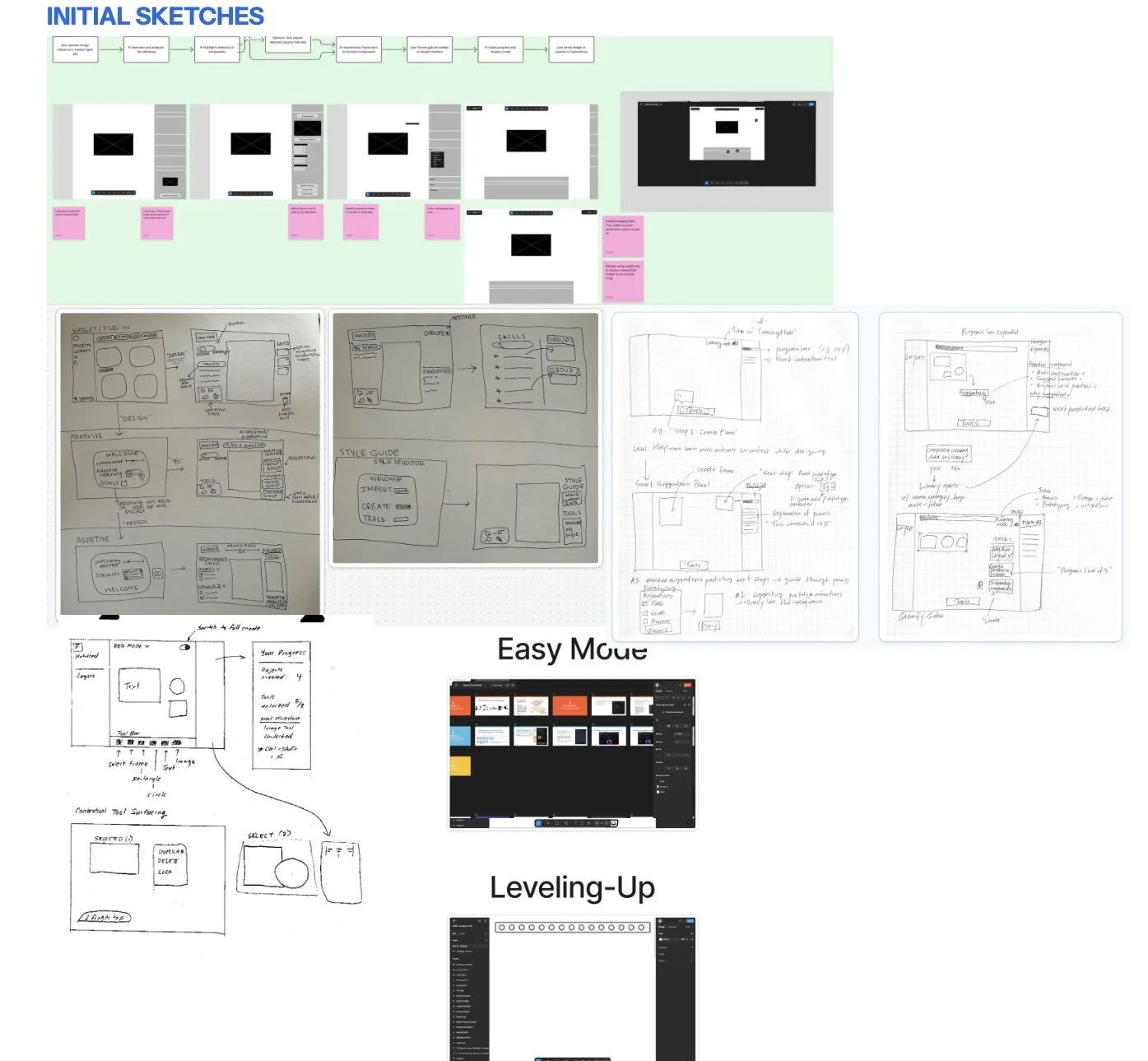
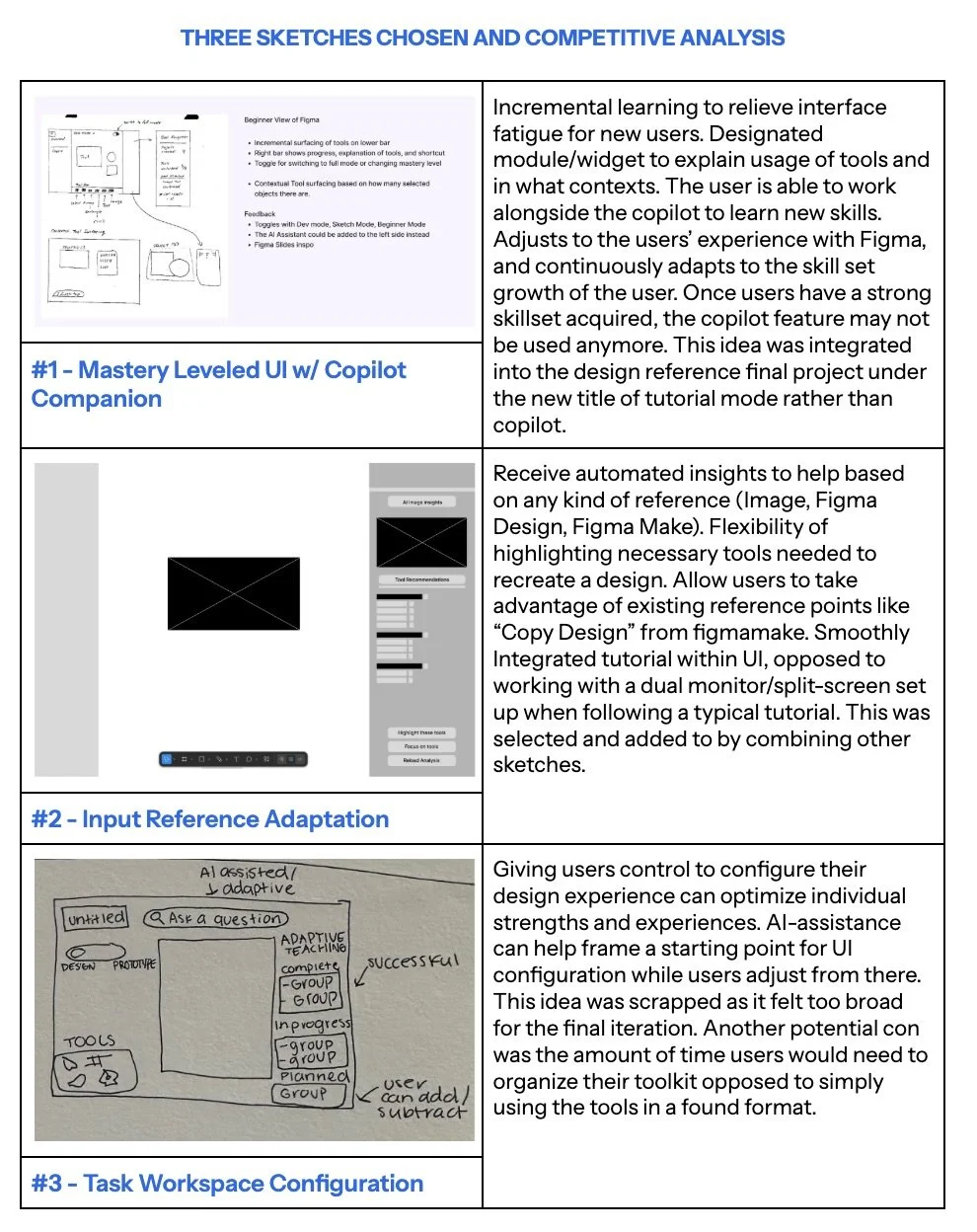
Our initial wireframes and sketch ideations were compared side-by-side to narrow our concepts down to the three strongest solutions. These concepts were then evaluated through a competitive analysis to better understand their strengths, weaknesses, and overall usability. Based on this analysis, we ultimately decided to integrate a Mastery Co-Pilot, a tutorial mode designed to help beginner users recreate complex designs within Figma through guided, step-by-step assistance. This solution was chosen because it promotes learnability, reduces friction for new users, and creates a more accessible onboarding experience for complex design workflows.
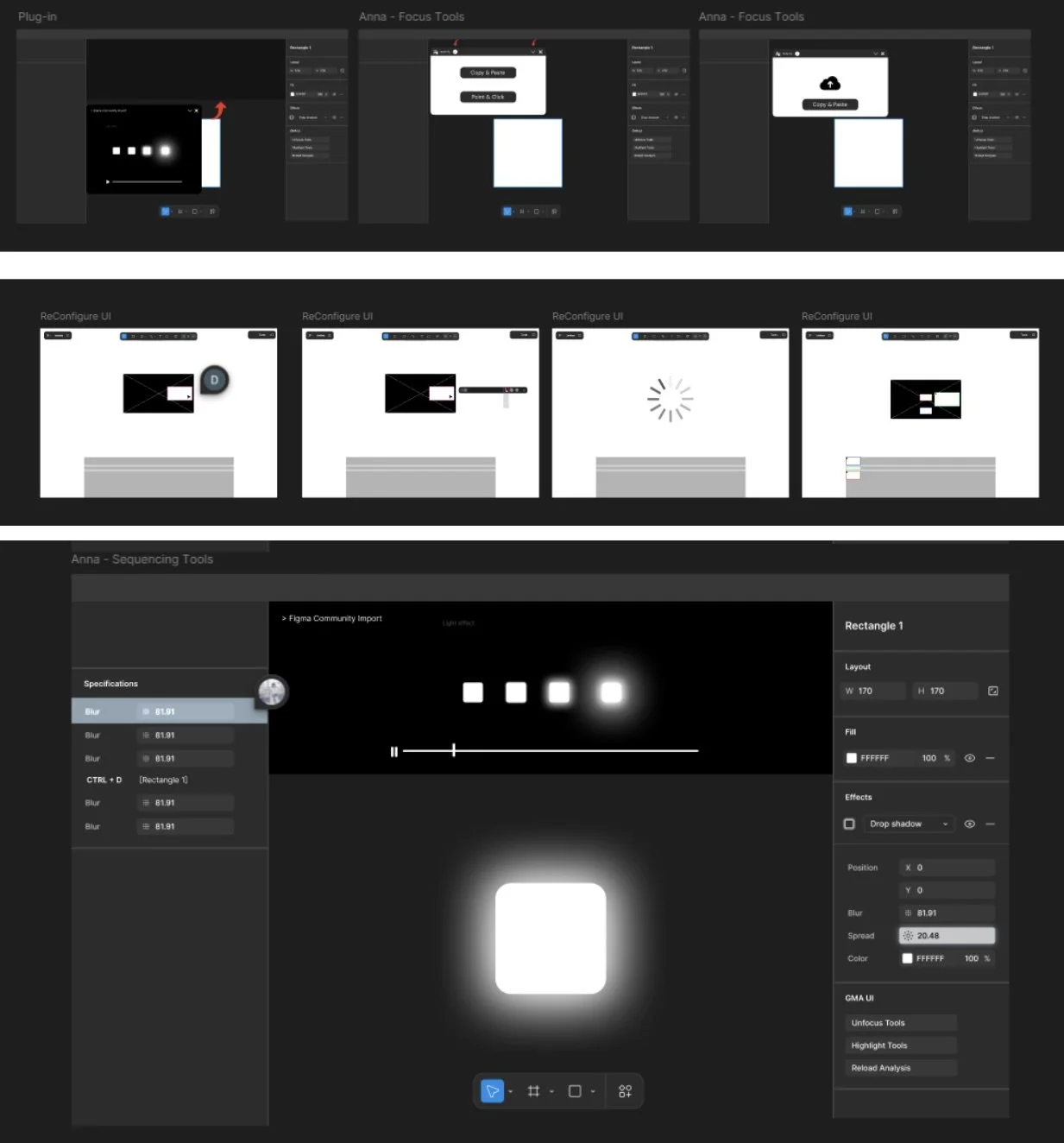
wireframes
These were the initial wireframe concepts for our design. During the iteration process, we changed the tutorial mode from a floating window overlay into an integrated feature within Figma’s existing layout to create a more seamless and less disruptive user experience. We also removed the separate file upload feature that came with the floating window and instead used Figma’s existing community file workflow to reduce complexity and maintain consistency with familiar user behaviors. These changes helped simplify the interface and create a more intuitive learning experience for users navigating the tool.
hi-fi and final prototype
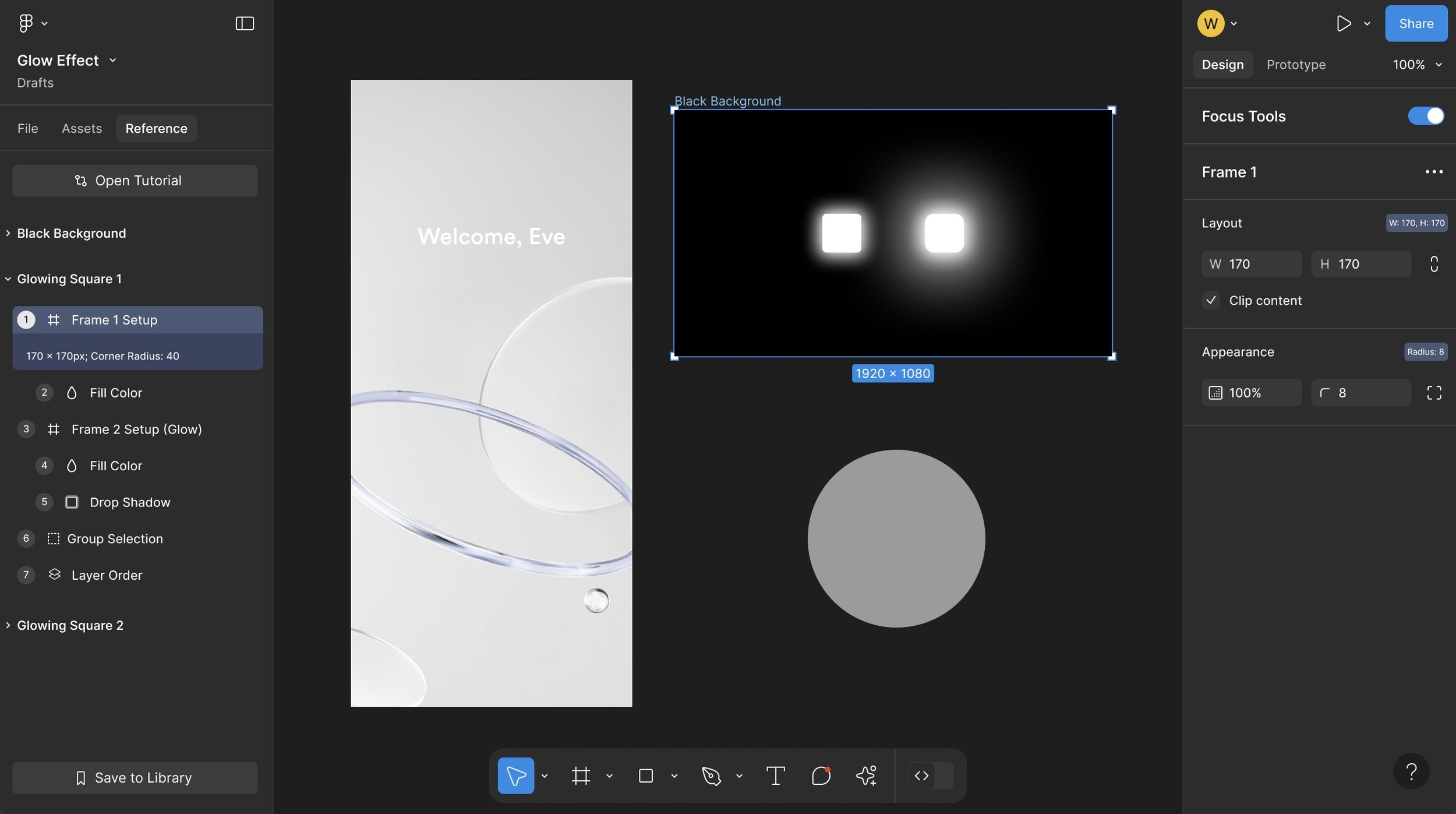
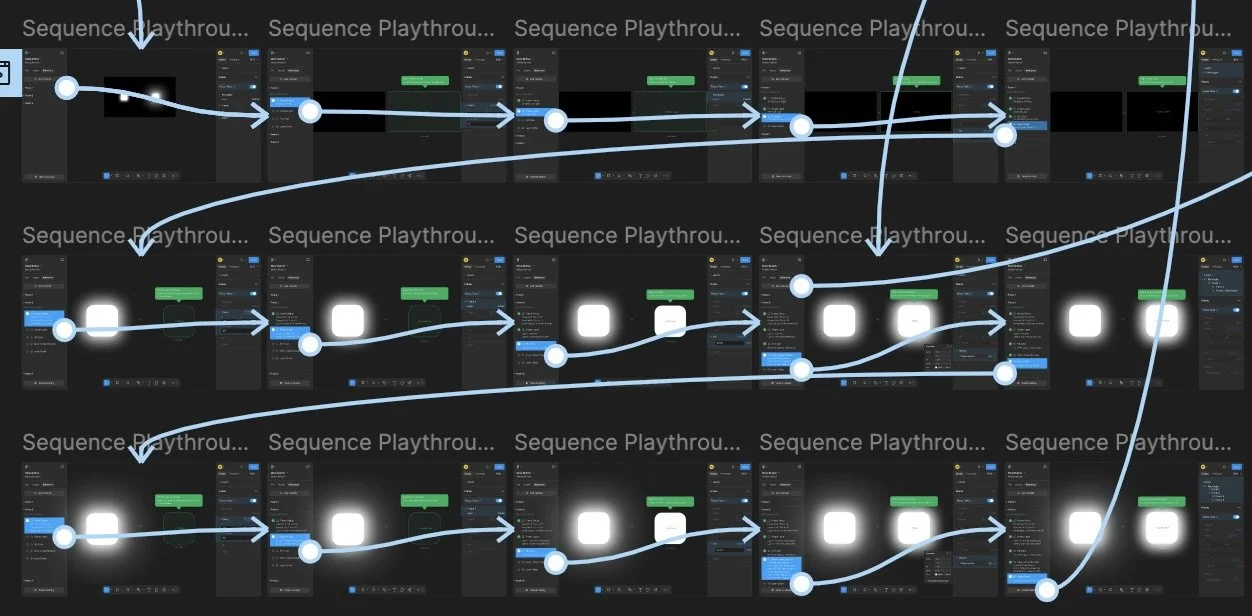
Our final tool was integrated alongside the “File” and “Assets” tabs as a new tab called “Reference.” This feature allows users to upload a design reference from community files and open it within the reference workspace. Using AI assistance, the tool analyzes the design and breaks it down into a vertical step-by-step process displayed in the left sidebar. Users are guided through each step using highlighted visual cues and interactive checkpoints that encourage completion before progressing, creating a more structured learning experience. From a UX perspective, this design reduces cognitive overload by transforming complex designs into smaller, more manageable tasks while supporting progressive learning. This tool would benefit both beginner and advanced Figma users by improving learnability, reducing frustration, and making complex workflows more accessible and easier to understand.